

All docs pages
Rules and money
Account security
Your account holds money, so the steps that move it or lock you out ask for more than a password.
Codes we email you
Each code is 6 digits, works for 10 minutes and works once. After five wrong tries it stops working: ask for a new one.
| When | What it does |
|---|---|
| Signing up | Confirms your email. Nothing else works until you do |
| Changing your password (creators) | Approves the change, on top of your current password |
| Changing your email (creators) | Sent to your current address: approves the change, on top of your current password |
| Changing your email (everyone) | Sent to the new address: proves it's yours and switches the account to it |
| Withdrawing (creators) | Approves sending that amount to your saved wallet |
| Closing your account | Approves the closure, on top of your current password |
| Cashing out before you close | Approves sending your balance to the wallet you picked |
Each code only works for the one thing it was sent for.
We'll never ask you for a code. If you get one you didn't ask for, someone has your password: don't share the code, and reset your password from the sign-in page.
Changing your password
Go to Settings → Password. Enter your current password and the new one. Creators then tap Email me a code, and enter the code to finish.
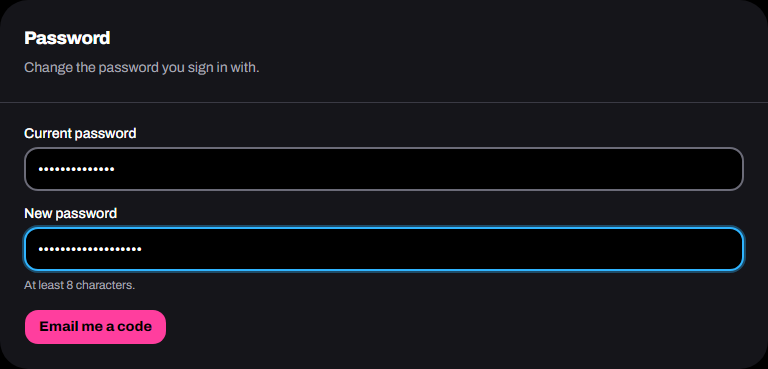
Changing your password signs you out on every other device, and we email you to say it changed.
Forgot it? Use Forgot password? on the sign-in page. The reset link works for 30 minutes.
Changing your email
Go to Settings → Email. Enter the new address and your current password. Creators then tap Email me a code and enter the code sent to the current address.
We then email a code to the new address. Enter it to switch: you sign in with the new address from then on, and codes and receipts go there. Until you do, nothing changes, and you can tap Send again or Cancel.
We email the old address to say it changed. An address that already has an account of the same kind can't be used.
Your payout wallet
- Changing it on the website asks for your current password.
- After any change, cash-outs and withdrawals wait 24 hours.
- We email you every time it changes, with the time payouts open again.
- Every creator withdrawal takes a code we email you for that amount (Withdraw funds).
If you didn't change it, email support@vibeclip.io straight away.
Sessions
You stay signed in for up to 30 days. After that, you sign in again.
Closing your account
Go to Settings → Your data → Close account. It takes your password and an emailed code, and it can't be undone.
First you need to:
- cash out your balance (closing walks you through it). If less than $10 is left, too little to cash out, email support@vibeclip.io;
- wait for any withdrawal still on its way, and any deposit still waiting for payment;
- end your live and paused campaigns, and lift any payout holds you placed, if you're a creator.
Closing removes your details. We keep the money records the law requires, with no name on them.