

All docs pages
For creators
Launch a campaign
Open Campaigns → Launch a campaign, or New campaign on the Overview. The wizard has six steps: Basics, Brief, Payout model, Leaderboard, Funding and Review. Nothing is charged until the last one.
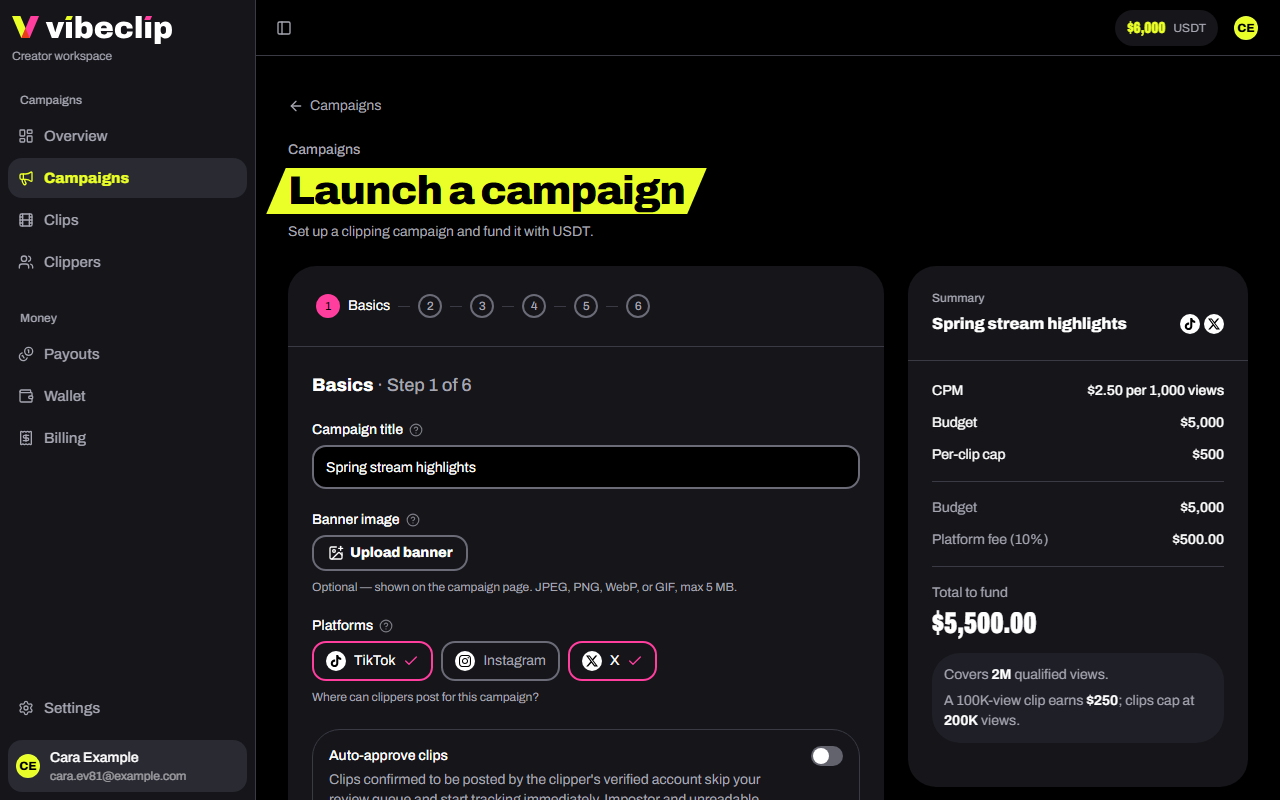
1. Basics
- Campaign title. Clippers see it in Discord, so keep it short and recognizable.
- Banner image. Optional: a wide image for the campaign page. JPEG, PNG, WebP or GIF, up to 5 MB.
- Platforms. TikTok, Instagram, X: where clippers may post. Pick as many as you like.
- Auto-approve clips. Off by default. When it's on, clips confirmed to come from the clipper's verified account skip your review and start earning at once. Fraud checks still run on every clip.
- Start date. Leave it empty to open the moment you launch.
- End date. Submissions close at 23:59 UTC that day. Up to 180 days from the start. You can end it earlier at any time.
2. Brief
Every field is optional, but a clear brief means fewer bad clips.
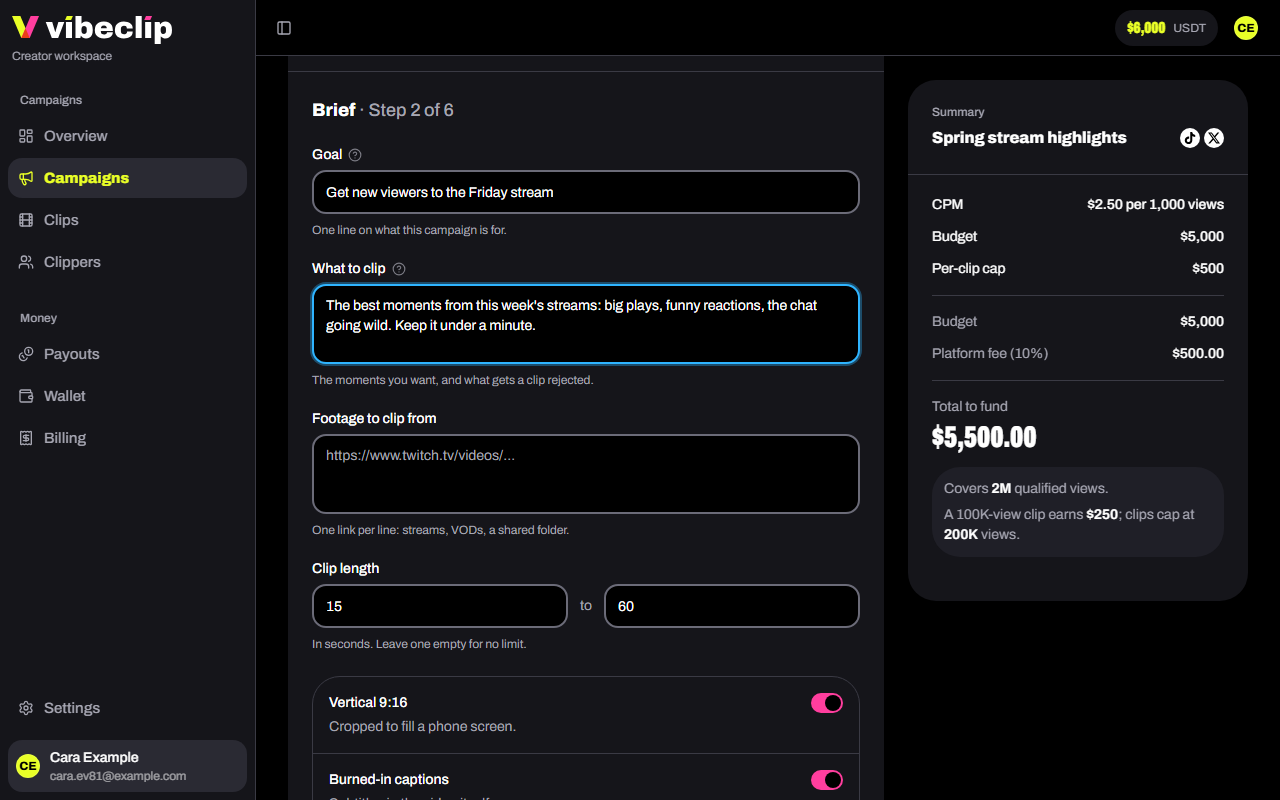
- Goal: one line on what the campaign is for.
- What to clip: the moments you want, and what gets a clip rejected.
- Footage to clip from: links to streams, VODs or a shared folder.
- Clip length: in seconds. 15 to 60 by default.
- Format: vertical 9:16, burned-in captions, original audio only.
- Sound to use: a sound or track to put on every clip.
- Do and Don't: one rule per line.
- Accounts to tag, Hashtags and a Caption call to action.
- Example clips: clips that nail it.
Clippers see the brief on the campaign's card in #live-now, rules first, and open the full PDF with your payout terms from Read the brief there or from #campaigns. Before they submit a clip, the bot shows them the rules again and asks them to confirm they've read the brief. Download preview shows you the PDF they'll get. Use the Do, Don't and format fields rather than one long paragraph: those always fit on the card, and a very long "What to clip" is cut short there with a pointer to the PDF.
3. Payout model
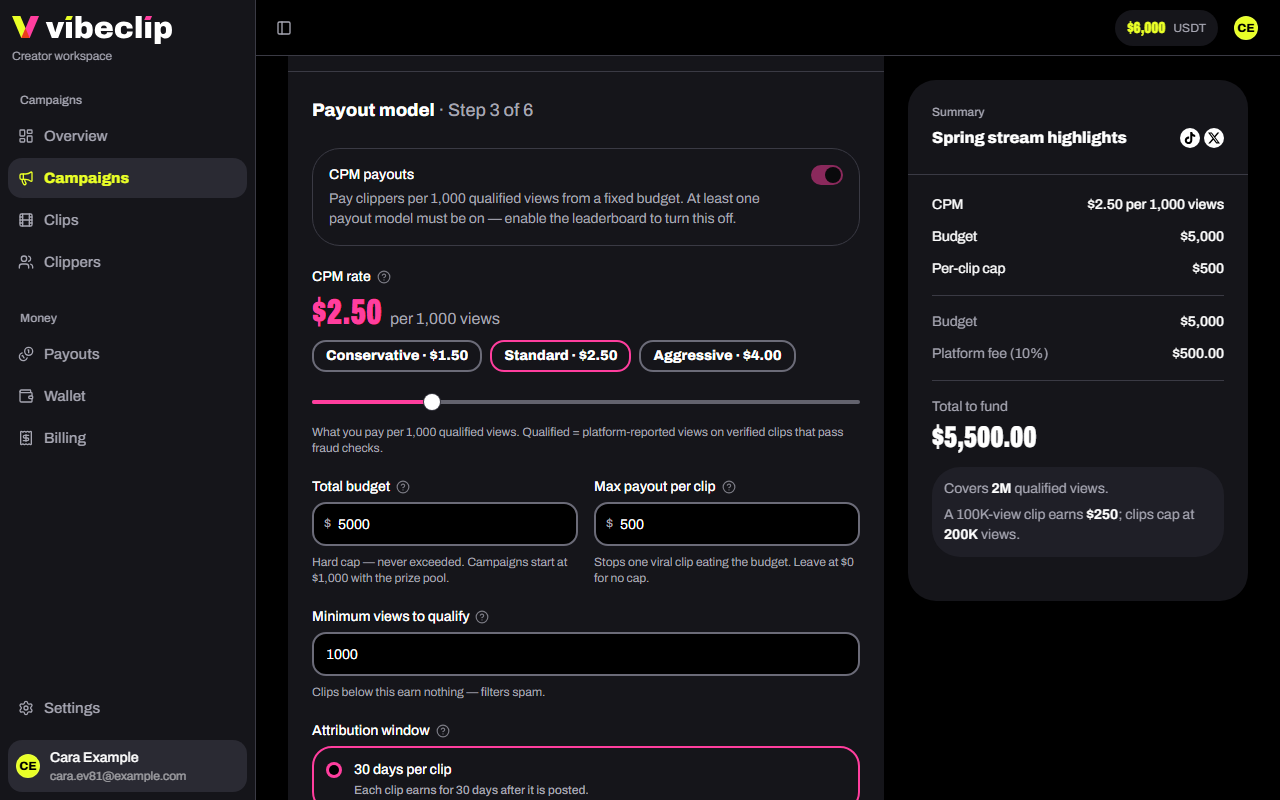
- CPM rate: what you pay per 1,000 qualified views. $0.50 to $10.00, with presets at $1.50, $2.50 and $4.00. At $2.50, a clip with 50,000 qualified views earns its clipper $125.
- Total budget: the most the campaign can pay out in CPM. It's never exceeded, and what's unspent comes back when the campaign ends.
- Max payout per clip: stops one viral clip using up the budget. $500 by default; $0 means no cap.
- Minimum views to qualify: a clip earns nothing until it reaches this, 1,000 by default. Then all its views count.
- Attribution window: how long each clip earns, counted from when it's posted: 30, 60 or 90 days.
4. Leaderboard
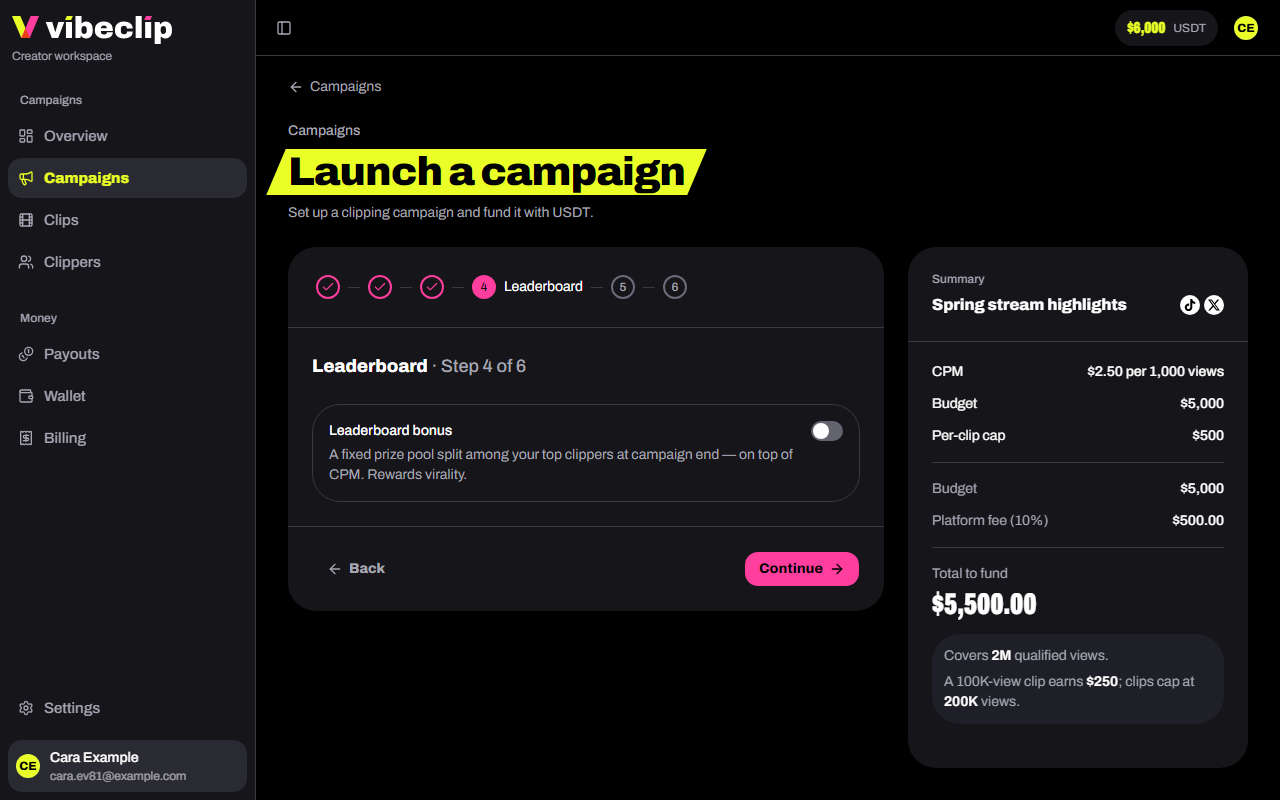
Optional. Turn on Leaderboard bonus to put up a prize pool for your top clippers, ranked by qualified views when the campaign ends. Prizes come on top of CPM earnings. Clippers tied on views split the places they share.
You can run a campaign on prizes alone: turn on the leaderboard, then turn CPM off.
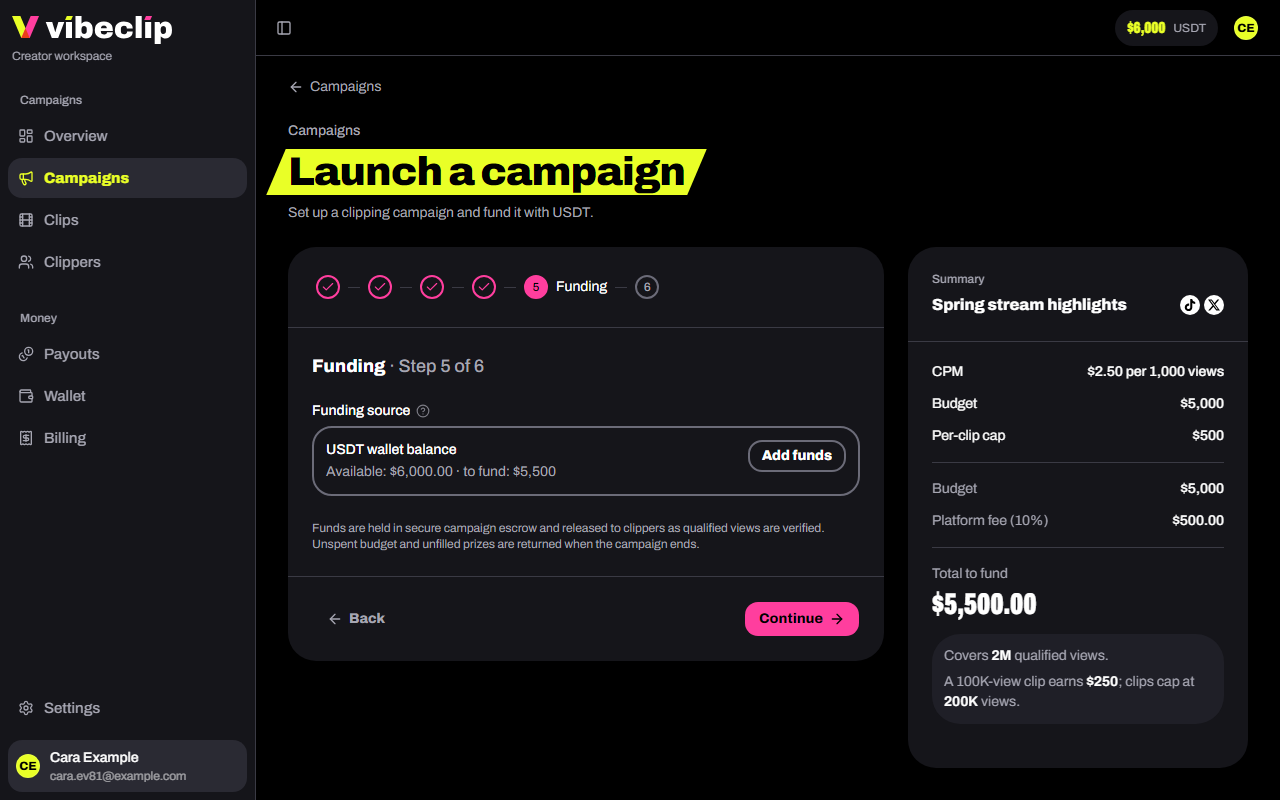
5. Funding
Campaigns are funded from your wallet balance. This step shows what you have and what the campaign needs. Short? Tap Add funds: the wallet opens in a new tab, and the balance updates when you come back. Or carry on and save the campaign as a draft.
6. Review
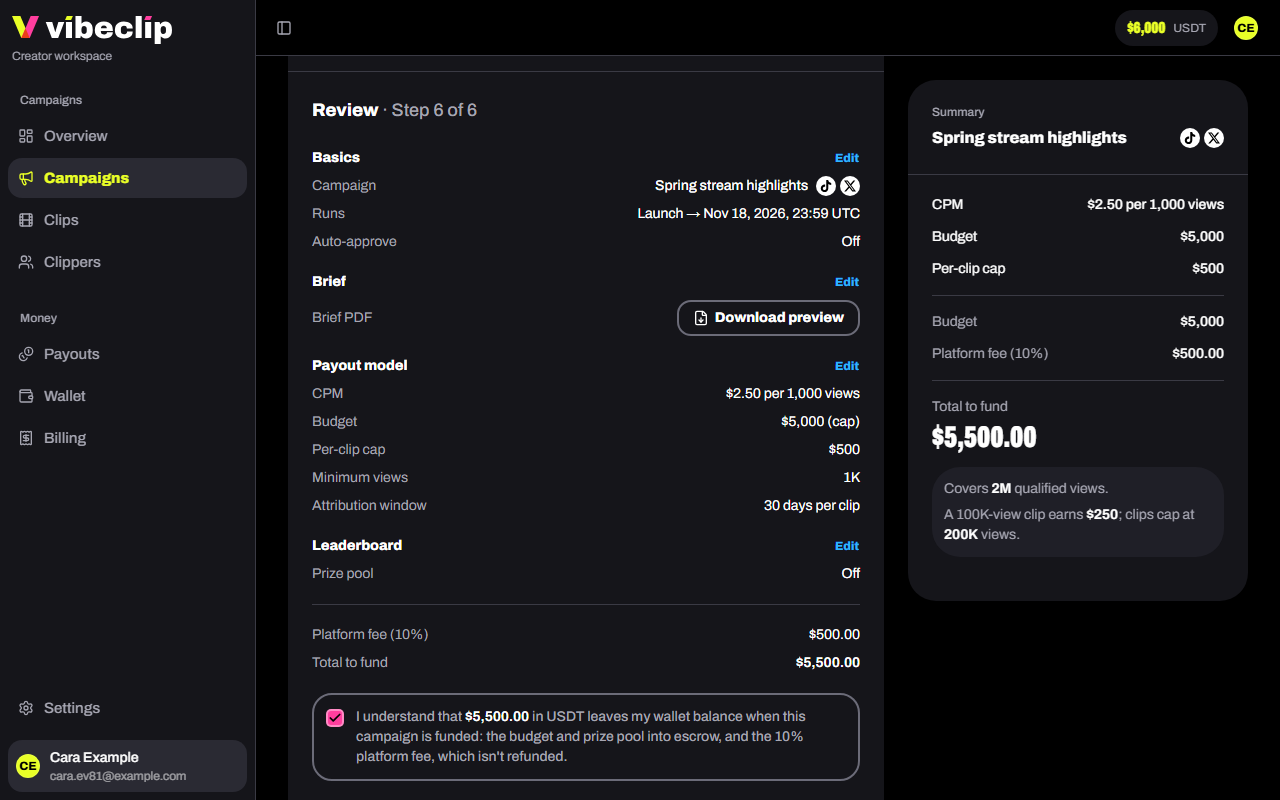
Check every setting, each with an Edit link, then the Platform fee (10%) and the Total to fund.
- Tick the box confirming the total leaves your wallet, and that the fee isn't refunded.
- Tap Launch campaign.
If your balance doesn't cover it, the button reads Save as draft. Deposit the difference, then fund it from the campaign's page.
What it costs
The budget and prize pool together start at $1,000. On top, there's a 10% platform fee. A $5,000 budget costs $5,500 to fund.
The budget and prizes go into escrow for this campaign, and the fee is charged at the same moment. See Fees and limits.
After launch
The campaign is live. Clippers in your connected Discord server see it with /campaigns. Haven't connected a server yet? See Connect your Discord server.