

All docs pages
For creators
Withdraw funds
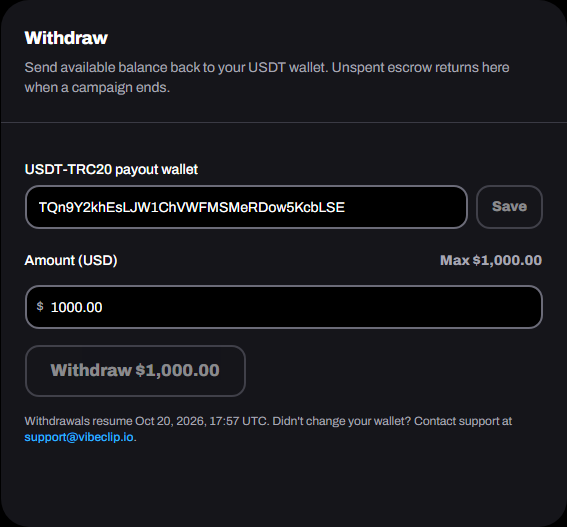
Send your available balance back to your own USDT wallet. Money in campaign escrow can't be withdrawn: it comes back to your balance when the campaign ends.
Set your payout wallet
- Open Wallet, and find Withdraw.
- Enter your Tron (TRC-20) address under USDT-TRC20 payout wallet. It starts with T.
- Tap Save.
Changing the wallet asks for your current password. After any change, withdrawals wait 24 hours, and we email you. If someone else got into your account and swapped the wallet, that gives you time to stop it.
Withdraw
- Enter the Amount (USD), or tap Max.
- Tap Withdraw. We email you a 6-digit code for that amount.
- Check the address and roughly what you'll receive after the network fee, enter the code, then tap Send.
- The minimum is $10.
- The network fee comes out of what arrives. You see the estimate before you send.
- The code works for 10 minutes, once, and only for that amount and wallet. Didn't get it? Tap Send again. If you get one you didn't ask for, someone has your password: change it now.
- A Vibe Clip admin releases each withdrawal. The amount leaves your balance at once and shows as Awaiting approval, then Sending, then Paid.
- If one is rejected or can't be sent, the money comes back to your balance.
A crypto transfer can't be undone. Check the address before you save it.
Every withdrawal gets a receipt in Billing, and a View on Tronscan link in your wallet's activity once it's on-chain.