

All docs pages
For clippers
Earnings and cash out
Your earnings are in USDT on Tron (TRC-20). Cash out from #get-paid in Discord, or on the website.

Check your balance
Tap My balance in #get-paid, or run /earnings. Only you see the reply. It shows:
- Available to cash out: what you can send to your wallet now.
- Awaiting approval: a cash-out waiting for an admin to check it.
- On hold: earnings a creator has paused. They're still yours.
- The network fee estimate, and roughly what you'd receive.
- Your payout wallet, and your five latest clips with their views and earnings.
Set your payout wallet
- Tap Set payout wallet, or run
/wallet. - Paste your Tron (TRC-20) address. It starts with T and is 34 characters long.
Check it twice. Crypto transfers can't be reversed, so money sent to a wrong address is gone.
After you change your wallet, you can't cash out for 24 hours, and we email you about the change. If someone else got into your account and swapped the wallet, that gives you time to stop it.
Cash out
- Tap Cash out, or run
/cashout. - Check the amount, the wallet and the network fee estimate.
- Tap Cash out $… to confirm, or Change wallet first.
- The minimum cash-out is $10.
- The network fee comes out of what arrives. We show you the estimate before you confirm.
- An admin checks every cash-out before it's sent. You get a DM when it's approved and on its way, or if there's a problem.
- Your balance updates at once. If a cash-out is rejected or can't be sent, the money comes back to your balance.
On the website
Once you've set a password, sign in to see your earnings and cash out from the browser. Cash-out history lists every cash-out, with a View on Tronscan link once it's on-chain.
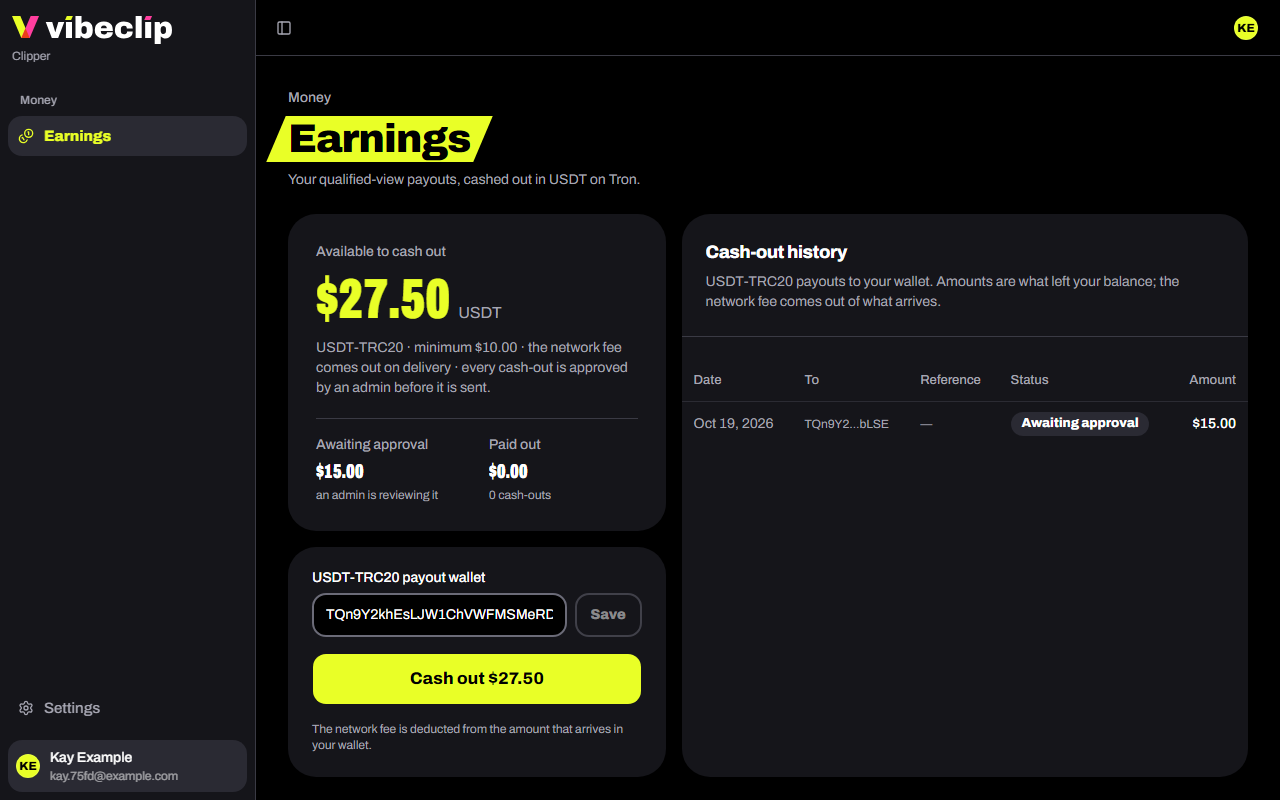
Changing your payout wallet on the website asks for your current password, and starts the same 24-hour wait.
Holds
- A creator paused your payouts. That creator's earnings show as On hold, and you get a DM with their reason. When they lift it, you can cash out again.
- Your account is on hold. Cash-outs stop while we look into it. Email support@vibeclip.io.