

All docs pages
For creators
Connect your Discord server
Your clippers register, verify their accounts, submit clips and cash out through the Vibe Clip bot in your Discord server. You can connect one server to your account.
Connect
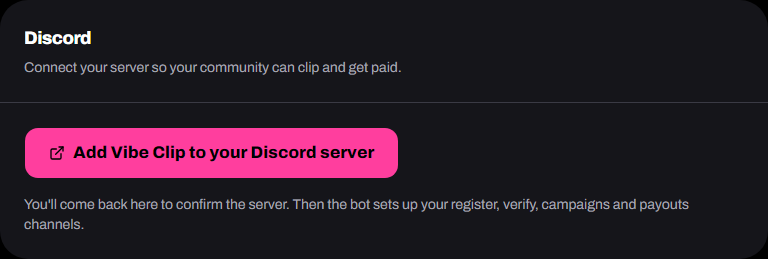
- Go to Settings → Discord and tap Add Vibe Clip to your Discord server.
- In Discord, pick your server and authorize the bot.
- Back on Vibe Clip, check the server name and tap Connect server.
The bot then sets up your server. Keep its Manage Channels and Manage Roles permissions, which it needs for that.
What the bot adds
A Vibe Clip category with five channels, and a Vibe Clip Clipper role for everyone who registers.
| Channel | Clippers use it to |
|---|---|
| #start-here | Register |
| #verify | Verify every account they post from |
| #campaigns | See your live campaigns and submit clips |
| #get-paid | Set their wallet, check their balance and cash out |
| #live-now | See every live campaign on its own card |
#live-now is the live board. When you fund a campaign, a card for it appears there within a few minutes and pings everyone with the Vibe Clip Clipper role. The card shows the rate, the budget left, when it ends, and the brief itself: the rules first (the start date posts must be made after, the verified-account rule, your format asks), then your goal, what to clip, the do's and don'ts, caption asks and links, with Submit a clip and Read the brief buttons. It updates as the budget is spent or the brief is edited, and disappears when the campaign ends or is paused. Only the bot can post in that channel. Discord adds it at the bottom of the category; drag it wherever you like.
Point your community to Join and register. It walks them through every step.
If setup fails
The card shows Setup failed when the bot couldn't create the channels. Check it still has Manage Channels and Manage Roles, then tap Retry setup. Removed the bot from the server? Tap Add the bot again.
Deleted a channel by mistake? Retry setup puts back what's missing and keeps what's still there.
Disconnect
Tap Disconnect server. Your clippers can't register or submit through the bot until you connect it again. The channels stay.
To connect a different server, disconnect the current one first.